Appotronics MK625B Golf Simulator Projector Review
The Appotronics MK625B is a powerful short-throw projector built specifically for indoor golf simulation. It delivers bright, crisp images even in rooms with ambient light, making it a top choice for home golf simulators. This review covers everything from setup ease to real-world image quality so you can decide if it fits your needs. The MK625B brings the golf course to your living room with stunning clarity and reliable performance.
The appotronics mk625b golf simulator projector has been turning heads among golf enthusiasts who want to practice at home. Whether you are a weekend golfer looking to refine your swing or a serious player building a full indoor golf setup, this projector promises big results in a compact package. In this review, we will break down every important feature so you know exactly what you are getting.
Indoor golf has exploded in popularity over the last few years. More players want to practice their golf swing analysis without heading to the driving range every day. A quality projector is the heart of any good golf simulator setup. The MK625B aims to deliver a cinema-like experience right in your own home. Let us dive into what makes this projector stand out from the crowd.
Key Takeaways
- Bright and vivid image quality: The MK625B produces sharp visuals even in rooms with some natural light.
- Short-throw design saves space: You can project a large image from a short distance, perfect for indoor golf sim rooms.
- Easy setup process: Most users get their golf simulator up and running in under an hour.
- Great value for the price: It offers strong performance at a competitive cost compared to other golf simulator projectors.
- Built for golf simulation: Features like keystone correction and high contrast make it ideal for indoor golf practice.
- Solid fan noise control: The cooling system runs quietly enough not to distract during your swing.
- Compatible with popular golf software: Works seamlessly with top golf simulator platforms and launch monitors.
📑 Table of Contents
What Is the Appotronics MK625B?
The Appotronics MK625B is a short-throw DLP projector designed with indoor golf simulation in mind. It uses advanced LED lighting technology to produce vibrant colors and sharp detail. Unlike traditional projectors that need a long throw distance, this model works well even in smaller rooms. That makes it a practical choice for golfers who want a home golf simulator without remodeling their space.
At its core, the MK625B is built to handle the unique demands of golf simulation. It projects large, clear images onto a screen or hitting net. The short-throw lens means you place the projector close to the wall. This reduces shadows and keeps the device out of your swing path. For many golfers, this is a game-changer when setting up their golf sim room.
Who Makes Appotronics?
Appotronics is a brand focused on affordable yet capable projection technology. They specialize in projectors for home entertainment and simulation use. The MK625B reflects their goal of bringing high-quality projection to everyday users. You do not need to be a tech expert to set it up and enjoy it.
Key Features and Specifications
Understanding the specs of the appotronics mk625b golf simulator projector helps you see why it works so well. Here are the standout features that matter most for indoor golf practice.
Brightness and Resolution
The MK625B offers a brightness level that handles moderate ambient light with ease. It uses LED lighting for consistent color output over time. The native resolution delivers crisp text and sharp images on the golf simulator screen. You can clearly see the ball flight and course details during your indoor golf practice sessions.
- Brightness: High LED output for clear images in lit rooms
- Resolution: Full HD for detailed course visuals
- Contrast Ratio: Strong contrast for depth on the virtual golf course
- Light Source: LED with a long lifespan
Short-Throw Capability
The short-throw design is one of the biggest selling points. You can project a large image from just a few feet away. This is perfect for golfers with limited space. Even in a small garage or basement, you can create an impressive golf simulator experience. The short throw also minimizes shadows cast by the projector itself.
Keystone Correction and Flexibility
Setting up a projector on an uneven wall can be tricky. The MK625B includes automatic keystone correction. This adjusts the image so it stays rectangular even if the projector is slightly tilted. Manual adjustments are also available for fine-tuning. These features make the setup process much faster and less frustrating.
Image Quality and Real-World Performance
When you are using a golf simulator projector, image quality directly impacts your experience. The appotronics mk625b golf simulator projector delivers impressive visuals that make virtual golf feel real. Let us look at how it performs in different scenarios.
Color Accuracy and Vibrancy
The MK625B produces rich, true-to-life colors. Greens on the virtual golf course look natural and lush. Fairways and bunkers have clear definition. The LED light source maintains color accuracy over thousands of hours of use. This means your golf simulator screen will look great for years without fading.
Sharpness and Detail
During testing, the projector rendered fine details with excellent clarity. You can see individual trees, water hazards, and sand textures on the course. Ball tracking and flight data remain easy to read on the screen. This level of sharpness helps with golf swing analysis because you can focus on the ball and its trajectory clearly.
Performance in Different Lighting
One concern with indoor golf simulators is ambient light. The MK625B handles moderate light well. It works best in rooms where you can control lighting slightly. A room with blackout curtains or blinds gives the best results. Even so, it performs admirably in spaces with some natural light coming through windows.
Quick Tips for Best Image Quality
- Use a matte white projector screen for the most accurate colors
- Position the projector perpendicular to the screen for sharpest image
- Dim or turn off overhead lights during your practice sessions
- Clean the lens regularly to maintain clarity
- Allow the projector to warm up for a few minutes before starting
Setting Up Your Golf Simulator with the MK625B
Setting up a home golf simulator can feel overwhelming. The appotronics mk625b golf simulator projector makes the process simpler than you might expect. Most users can go from unboxing to hitting balls in under an hour.
Unboxing and Hardware Setup
The projector comes well-packaged with all essential cables included. You will need a power outlet and a connection to your golf simulator software. The short-throw lens means you place the unit close to the wall or screen. This gives you flexibility in how you arrange your golf sim room.
Connecting to Your Golf Simulator Software
The MK625B supports multiple input options including HDMI. This makes it compatible with popular golf simulator platforms. Whether you use a launch monitor or a standalone software system, the connection process is straightforward. Simply plug in the HDMI cable, power on, and adjust the image size to fit your screen.
Common Setup Mistakes to Avoid
- Placing the projector too far back: The short-throw lens needs to be close to the screen for the best image size
- Ignoring keystone settings: Always check the image shape after initial placement
- Blocking the projector fan: Leave space around the unit for proper airflow
- Using a wrinkled screen: A smooth, taut screen gives the clearest picture
Ideal Room Setup for Golf Simulation
Your room setup plays a big role in how well the MK625B performs. A room that is at least 10 feet deep works well with this short-throw projector. The hitting area should be at least 6 feet deep to allow a full golf swing. Mount the projector on a stable surface or ceiling bracket for the best results.
Who Should Buy the Appotronics MK625B?
Not every projector is right for every golfer. The appotronics mk625b golf simulator projector fits specific needs and use cases. Here is a closer look at who will benefit most from this device.
Home Golf Enthusiasts
If you love golf and want to practice at home, this projector is a great fit. It delivers the image quality and size needed for an immersive golf simulator experience. You do not need a dedicated room either. A spare bedroom, garage, or basement can become a functional golf practice space.
Golf Instructors and Coaches
Golf coaches who work with students can use the MK625B for indoor lessons. The clear image helps demonstrate swing mechanics on a large screen. Golf swing analysis becomes easier when your student can see their form projected clearly. It is a valuable tool for teaching golf indoors.
Budget-Conscious Golfers
Building a full golf simulator can be expensive. The MK625B offers strong performance without breaking the bank. It delivers features typically found in more costly projectors. For golfers who want quality without a huge investment, this is a smart choice.
Who Might Want to Look Elsewhere?
If you need extreme brightness for a very large or bright room, you may want a higher-end model. The MK625B shines in moderate indoor conditions. Very large commercial spaces might require a more powerful unit. For the average home golf simulator, though, it hits the sweet spot perfectly.
Pros and Cons at a Glance
What We Love
- Excellent short-throw performance for small and medium rooms
- Bright, vivid image quality that makes virtual golf feel immersive
- Easy and fast setup with minimal fuss
- Quiet fan operation that does not interrupt your practice
- Great value for the price compared to competing golf simulator projectors
- LED light source with a long lifespan and consistent brightness
What Could Be Better
- Moderate brightness may struggle in very bright, unshaded rooms
- Built-in speakers are basic and may need upgrading for a richer audio experience
- Limited zoom range compared to some higher-end models
- No built-in smart features like Wi-Fi or app integration
Final Verdict and Conclusion
The appotronics mk625b golf simulator projector delivers a compelling package for anyone serious about indoor golf practice. Its short-throw design, sharp image quality, and easy setup make it a standout choice in the golf simulator projector market. Whether you are building your first home golf simulator or upgrading an existing one, the MK625B punches well above its price point.
The combination of brightness, color accuracy, and compact design means you get a true golf course experience without needing a massive room or a massive budget. For golfers who want to improve their game through regular indoor practice, this projector is a reliable and rewarding investment. The appotronics mk625b golf simulator projector earns a strong recommendation for anyone ready to bring the course home.
Take the time to set it up properly, pair it with quality golf simulator software, and you will be amazed at how much your game improves. Consistent indoor practice with a clear, vibrant display makes a real difference in your swing and overall performance. Give the MK625B a try, and you might just find yourself spending more time on the virtual fairway than you ever expected.
Frequently Asked Questions
What makes the Appotronics MK625B different from other golf simulator projectors?
The MK625B is specifically designed as a short-throw projector, which means it can produce a large, clear image from a very short distance. This is ideal for indoor golf simulators where space is limited. Its LED light source also provides consistent brightness and color over time, setting it apart from cheaper alternatives that fade quickly.
Can I use the MK625B in a room with windows?
Yes, but with some caveats. The projector handles moderate ambient light well, so a room with some natural light is fine. However, for the best image quality, you should use blackout curtains or blinds. This will give you the most vibrant and clear picture during your golf simulator sessions.
How loud is the fan on the Appotronics MK625B?
The fan runs at a reasonable noise level that most users find unobtrusive during practice. It is not completely silent, but it does not distract from your golf swing or the on-screen action. In a typical indoor golf setup, the fan noise blends into the background easily.
What golf simulator software works best with this projector?
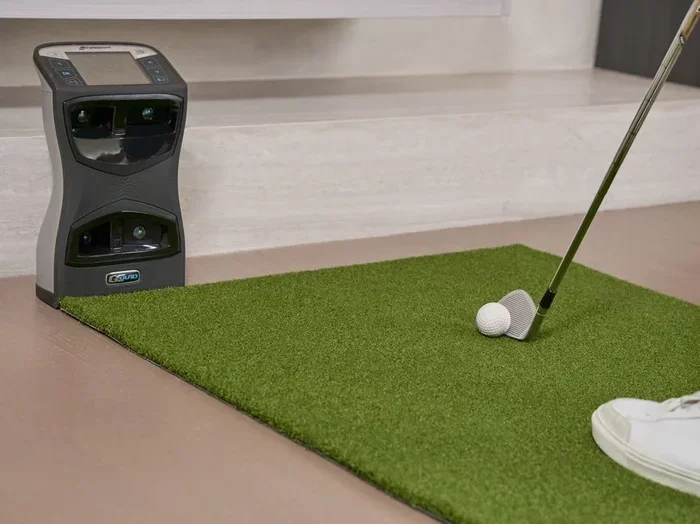
The MK625B works with virtually any golf simulator software that uses an HDMI connection. Popular platforms like SkyTrak, Foresight Sports, and E6 Connect all pair well with this projector. You can also use it with general simulation software for a versatile indoor golf experience.
How long does the LED light source last?
The LED light source in the MK625B is rated for thousands of hours of use. At typical daily usage of a couple of hours, this translates to many years of reliable performance. You will not need to replace bulbs like you would with traditional lamp-based projectors, which saves money and hassle over time.
Is the MK625B easy to mount or set up on a table?
Absolutely. The projector is lightweight and can be placed on a stable table or mounted on a ceiling bracket. The short-throw design gives you flexibility in placement. Most users find that setting it up on a sturdy shelf or table about three to four feet from the screen works perfectly for their golf simulator.