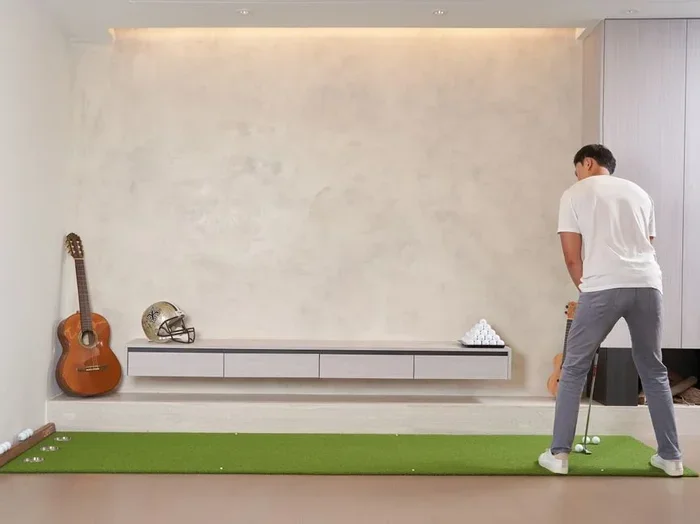
BenQ AK700ST 4K Short Throw Golf Simulator Projector
The BenQ AK700ST 4K short throw golf simulator laser projector brings tournament-level visuals right into your garage or man cave. With true 4K resolution, 3000 lumens of brightness, and a short throw lens, you get a massive picture without needing a ton of space. This projector uses laser light source technology, so you skip the hassle of frequent bulb replacements and enjoy consistent color for years. Whether you are a weekend golfer or a serious player, the BenQ AK700ST delivers a sharp, vibrant image that makes your home golf simulator feel like a real course.
You have been dreaming about building a golf simulator at home. You have picked out your hitting net, your launch monitor, and your software. But then comes the big question: what projector do you need? If you are looking for a projector that fits a small space and still delivers jaw-dropping picture quality, the BenQ AK700ST 4K short throw golf simulator laser projector deserves your full attention.
This projector is not just another screen-beaming box. It is purpose-built for people who want a big, bright, and detailed image without dragging their projector three feet from the wall. Whether you are setting up a full indoor golf room or just adding a screen to your garage, the AK700ST makes the process easier and more fun.
In this review, we will break down everything you need to know. From its 4K resolution and laser light source to its throw ratio and real-world performance in a golf simulator setup, we have got you covered. Let us dive in.
Key Takeaways
- True 4K Resolution: The AK700ST delivers stunning 4K detail that makes every fairway and bunker look realistic on your simulator screen.
- Short Throw Design: Project a large image from just a few feet away, making it perfect for smaller rooms and indoor golf setups.
- Laser Light Source: No more lamp replacements. The laser technology offers up to 20,000 hours of reliable performance with consistent brightness.
- High Brightness at 3000 Lumens: Even in rooms with some ambient light, the AK700ST keeps your image sharp and easy to see.
- HDMI 2.0 and Low Input Lag: Fast signal processing means smooth visuals when paired with golf simulation software and sensors.
- Built for Golf Simulators: The short throw ratio and keystone correction make setup simple and flexible for any simulator configuration.
📑 Table of Contents
- What Makes the BenQ AK700ST Ideal for Golf Simulators
- Key Features and Specifications
- Setting Up Your Golf Simulator with the AK700ST
- Image Quality and Performance on the Range
- How the AK700ST Compares to Other Golf Projectors
- Who Should Buy the BenQ AK700ST
- Quick Tips for Getting the Best Experience
- Common Mistakes to Avoid
- Expert Insights on the BenQ AK700ST for Golf
- Final Verdict
What Makes the BenQ AK700ST Ideal for Golf Simulators
When you are choosing a projector for a golf simulator setup, you need to think about a few key things. Room size matters. Brightness matters. And image sharpness matters more than you might think. The AK700ST handles all of these concerns really well.
Short Throw Advantage for Small Spaces
The AK700ST has a short throw ratio of around 0.69:1. What does that mean in plain English? You can project a large, clear image from a very short distance. If your wall or screen is about 80 inches wide, you only need the projector sitting roughly 3 to 4 feet away. This is a game-changer for indoor golf rooms where space is tight.
Think about it. A standard projector might need 8 or 10 feet of throw distance to fill the same screen. In a garage or basement simulator, that extra space just does not exist. The short throw design of the AK700ST solves this problem completely. You get a big, immersive picture without rearranging your entire room.
Laser Light Source That Lasts
One of the biggest headaches with traditional projectors is the lamp. You buy it, you use it, and after a few thousand hours, the brightness starts to fade. Replacement lamps can cost anywhere from 200 to 400 dollars. The AK700ST uses a laser projector light source instead. This means no lamps to replace.
Laser light sources can last up to 20,000 hours before they lose half their brightness. For most golfers, that is over a decade of regular simulator use. You also get more consistent color and brightness over time. The image stays vivid from day one to day ten thousand.
Key Features and Specifications
Let us look at the numbers and features that make the BenQ AK700ST stand out in the crowded projector market.
- Resolution: True 4K UHD (3840 x 2160) for razor-sharp detail on your simulator screen.
- Brightness: 3000 ANSI lumens, which keeps the image clear even with some overhead lighting.
- Throw Ratio: 0.69:1, allowing for a short throw projection that fits compact spaces.
- Light Source: Laser, rated for up to 20,000 hours of use.
- Contrast Ratio: High native contrast that helps dark areas like tree lines and shadows look realistic.
- HDMI 2.0 Ports: Multiple HDMI inputs for connecting your launch monitor, PC, and gaming console.
- Keystone Correction: Vertical and horizontal keystone for quick and easy image alignment.
- HDR Support: High Dynamic Range compatibility for richer colors and deeper blacks.
Why 4K Resolution Matters for Golf Simulation
When you are looking at a virtual golf course on a screen, every detail counts. The texture of the fairway, the contours of a green, the flags on the pin, and the rough along the edges all need to look crisp. A 1080p projector can get the job done, but a 4K projector takes it to another level entirely.
With four times the pixels of Full HD, the AK700ST shows you fine details that lower-resolution projectors simply miss. You can spot subtle slopes on the putting surface. You can see individual blades of grass in the rough. This level of detail helps you read greens better and feel more connected to the virtual course.
Brightness and Contrast in Real-World Conditions
Most people do not play golf simulators in pitch-black rooms. Maybe you have some overhead lights on, or natural light comes through a window. The 3000 lumens of brightness on the AK700ST handle these conditions well. The image stays visible and clear.
The contrast ratio also plays a big role. Higher contrast means deeper blacks and brighter whites. On a golf simulator, this translates to darker shadows under trees, brighter sunlit fairways, and more realistic terrain features. The combination of brightness and contrast makes your golf practice at home feel much more immersive.
Setting Up Your Golf Simulator with the AK700ST
Setting up a projector for a golf simulator does not have to be complicated. The AK700ST is designed to make the process as smooth as possible.
Placement and Distance
Because of the short throw lens, you have a lot of flexibility in where you place the projector. Set it on a low table, a shelf, or even a small projector stand just a few feet from your screen. The short distance also means the projector is less likely to get bumped during an intense golf session.
Here is a quick guide for placement:
- 80-inch screen: Place the projector about 3.5 feet from the screen.
- 100-inch screen: Place the projector about 4.5 feet from the screen.
- 120-inch screen: Place the projector about 5.5 feet from the screen.
These distances may vary slightly depending on your specific screen and room layout, but they give you a solid starting point.
Keystone and Image Alignment
Even with careful placement, your projector might not land perfectly square on the screen. The AK700ST includes both vertical and horizontal keystone correction. This lets you adjust the image shape digitally so everything lines up properly. You can also use the lens shift feature for fine-tuning without losing image quality.
Connecting Your Devices
The projector comes with multiple HDMI 2.0 ports. This means you can connect your launch monitor, a gaming PC, and even a streaming device all at once. Just switch inputs when you want to change sources. The low input lag ensures that the image stays smooth and responsive, which is important when you are tracking your golf swing analysis in real time.
Image Quality and Performance on the Range
So how does the AK700ST actually look when you are using it for a round of virtual golf? The answer is really impressive.
The 4K resolution delivers incredibly sharp images. Text on the scorecard is easy to read. Course maps and yardage markers are clear and detailed. Colors are vibrant and true to life. The greens look green, the water hazards look blue, and the sandy bunkers look just like real sand.
The laser light engine also produces excellent color accuracy out of the box. You do not need to spend hours tweaking color settings to get a good picture. The AK700ST looks great right away, which saves you time and frustration.
In a dimly lit room, the contrast really shines. Dark areas of the course, like forested holes or twilight conditions, look rich and detailed. In brighter rooms, the 3000 lumens keep the image punchy and visible. It is not as bright as some high-end projectors that cost twice as much, but for most home simulator setups, it is more than enough.
Noise Level During Use
One thing that often gets overlooked with projectors is fan noise. A loud fan can be distracting during a focused round of virtual golf. The AK700ST runs quietly in eco mode. Most users report that the fan noise is barely noticeable during normal use. This keeps your attention on the game and not on the projector.
How the AK700ST Compares to Other Golf Projectors
There are plenty of projectors on the market that claim to work well for golf simulators. Here is how the BenQ AK700ST stacks up against a few common alternatives.
| Feature | BenQ AK700ST | Typical 1080p Short Throw | Premium 4K Home Theater |
|---|---|---|---|
| Resolution | 4K UHD | 1080p Full HD | 4K UHD |
| Brightness | 3000 lumens | 2500-3000 lumens | 2000-2500 lumens |
| Throw Ratio | 0.69:1 (short throw) | 0.8:1 to 1.0:1 | 1.0:1 to 1.5:1 |
| Light Source | Laser | LED or Lamp | Laser |
| Price Range | Mid-Range | Budget to Mid-Range | Premium |
| Ideal for Golf Sim? | Yes | Good | Overkill for most setups |
As you can see, the AK700ST hits a sweet spot. It offers 4K resolution and laser durability at a price point that is reasonable for most golf enthusiasts. You are not paying for the ultra-premium features that most home theater projectors include, but you are getting the essentials that matter most for a golf simulator.
Who Should Buy the BenQ AK700ST
This projector is a great fit for several types of users. If you fall into any of these categories, the AK700ST could be an excellent choice.
- Home golf simulator builders who have a small to medium-sized room and need a short throw projector.
- Avid golfers who want a realistic, high-resolution image for practice and play without breaking the bank.
- Families or couples who want a projector that doubles as a gaming and movie screen for everyday use.
- Fitness or entertainment room owners looking for a versatile projector with strong image quality and long-lasting laser performance.
- First-time simulator builders who want a reliable projector that is easy to set up and enjoy right away.
If you just want a basic projector to cast a small image on a white wall, there are cheaper options. But if you want a true 4K short throw projector that delivers stunning visuals and lasts for years, the AK700ST is one of the best choices you can make.
Quick Tips for Getting the Best Experience
Here are some practical tips to help you get the most out of your BenQ AK700ST in your golf simulator:
- Use a matte white screen. A high-gain screen can create hot spots and uneven brightness. A matte white screen gives you a smooth, consistent picture across the entire surface.
- Mount the projector at a low height. Since it is a short throw, placing the projector low and pointing it upward gives you a larger image without casting shadows on the screen.
- Turn on eco mode for quieter operation. Eco mode reduces fan noise slightly and can extend the laser light source life even further.
- Calibrate your colors with the simulator software. Most golf simulation programs have built-in color calibration tools. Use them to match the on-screen colors to your real-world expectations.
- Keep ventilation clear. Projectors need airflow to stay cool. Make sure nothing is blocking the vents around the AK700ST, especially during long simulator sessions.
Common Mistakes to Avoid
Setting up a projector for a golf simulator is straightforward, but a few common mistakes can hurt your experience. Here is what to watch out for:
- Placing the projector too close or too far. The short throw ratio has a sweet spot. Too close and the image will be blurry or distorted. Too far and you will not fill the screen properly. Check the recommended throw distance for your screen size before you mount the projector.
- Ignoring ambient light. Even with 3000 lumens, heavy ambient light can wash out the image. Consider adding blackout curtains or dimming overhead lights during your simulator sessions for the best picture quality.
- Using the wrong HDMI cable. To get the full 4K signal, you need an HDMI 2.0 or higher cable. Older HDMI 1.4 cables will limit your resolution and may cause issues.
- Skipping keystone correction. A crooked image looks unprofessional and can affect your depth perception during play. Always adjust the keystone settings until the image is perfectly rectangular.
Expert Insights on the BenQ AK700ST for Golf
From a simulator setup perspective, the BenQ AK700ST is one of the most well-rounded options available at its price point, says a longtime golf simulator enthusiast. The combination of true 4K resolution, short throw capability, and laser durability makes it a standout choice for anyone building or upgrading a home golf room.
The projector handles both golf simulation software and general entertainment beautifully. You can switch from a round of golf on your favorite simulator app to watching a movie on the same screen with ease. The 4K detail makes movies look sharp, and the 3000 lumens keep things visible even in a room with some light.
One thing to keep in mind is that the AK700ST is not the brightest projector on the market. If your simulator room has large windows with direct sunlight, you may want to consider blackout solutions or a brighter model. But for most typical indoor setups, the brightness is more than adequate.
Final Verdict
The BenQ AK700ST 4K short throw golf simulator laser projector delivers an outstanding experience for golfers who want a high-quality simulator setup without taking over their entire room. The true 4K resolution brings every course to life with incredible detail. The short throw lens lets you project a big image from a small space. And the laser light source means years of reliable, maintenance-free performance.
At its price point, the AK700ST offers a rare combination of features that are usually found in much more expensive projectors. If you are serious about your indoor golf game and want a projector that looks great, lasts long, and is easy to set up, this is one of the best options you can choose.
Do your homework. Compare specs. Read reviews. And then make a decision that fits your room, your budget, and your passion for the game. The BenQ AK700ST is a projector that will serve you well for many rounds of virtual golf to come.
Frequently Asked Questions
What is the throw distance for the BenQ AK700ST?
The AK700ST has a short throw ratio of 0.69:1, which means it can project an 80-inch image from about 3.5 feet away. This makes it perfect for small rooms and tight indoor golf simulator setups where space is limited.
Is the BenQ AK700ST good for golf simulation software?
Yes, it works excellently with popular golf simulation software. The 4K resolution and 3000 lumens of brightness provide a clear, detailed image that enhances your virtual golf experience and makes course visuals look realistic.
How long does the laser light source last on the AK700ST?
The laser light source is rated for up to 20,000 hours before the brightness drops to half its original level. For most users, this translates to many years of regular simulator use without needing any light source replacements.
Can I use the BenQ AK700ST for other activities besides golf?
Absolutely. The AK700ST works great for watching movies, playing video games, and general home entertainment. Its 4K resolution and HDR support make it a versatile projector for any room in your home.
Does the AK700ST support HDR content?
Yes, the projector supports High Dynamic Range content, which means you get richer colors, deeper blacks, and more detail in both bright and dark areas of the image. This enhances the visual quality of golf courses and other content.
How many HDMI ports does the BenQ AK700ST have?
The AK700ST includes multiple HDMI 2.0 ports, giving you plenty of options to connect your launch monitor, PC, gaming console, and other devices simultaneously without needing to unplug and replug cables.
=== CONCLUSION ===
The BenQ AK700ST 4K short throw golf simulator laser projector is a fantastic choice for anyone building or upgrading a home golf simulator. It brings together 4K sharpness, short throw convenience, laser durability, and strong brightness in a package that fits most budgets and room sizes. With its easy setup, reliable performance, and stunning image quality, it earns a top spot on any golfer’s simulator equipment list. If you are ready to bring the course home, the AK700ST is a projector you can feel confident about.