Best At Home Golf Simulator For Realistic Indoor Practice
The best at home golf simulator brings the driving range and golf course right into your living room, garage, or basement. With a quality golf simulator setup, you can practice your swing, analyze ball flight, and improve your game all year round. We reviewed the top golf simulator packages so you can pick the perfect indoor golf practice system for your space and budget.
Nothing beats the feeling of stepping onto a real fairway. But for most of us, life gets in the way of tee time. Rain, cold weather, busy schedules, or a simple lack of nearby courses can all keep you off the links. That is where a best at home golf simulator changes the game entirely.
A golf simulator setup brings the course to your doorstep. You can work on your golf swing improvement any time you want. Whether you are a weekend warrior or a serious player looking to lower your handicap, indoor golf practice offers real benefits. In this guide, we break down everything you need to know about choosing the right system for your home.
We looked at top-rated golf simulator packages, compared features, and gathered practical tips to help you make a smart buy. By the end, you will know exactly what to look for and which home golf training system fits your needs best.
Key Takeaways
- Realistic indoor golf practice: A quality golf simulator setup gives you a true-to-life experience without leaving home.
- Launch monitors are essential: These devices track ball speed, launch angle, and spin for accurate golf swing analysis.
- Space matters: You need at least 10 feet of clearance and a safe hitting area for a proper home golf training setup.
- Budget ranges widely: Basic golf simulation software setups start around $500, while premium packages can exceed $5,000.
- Multiple brands lead the market: SkyTrak, OptiShot, and Full Swing are among the top golf simulator brands for home use.
- Quick setup is possible: Many golf simulator packages are portable and can be assembled in under two hours.
- Year-round improvement: Indoor golf course simulation lets you practice in any weather, any season.
📑 Table of Contents
- What Is a Golf Simulator and Why Do You Need One?
- Key Features to Look For in a Home Golf Simulator
- Top Golf Simulator Packages Reviewed
- Setting Up Your Indoor Golf Practice Space
- Benefits of Practicing Golf at Home
- Common Mistakes to Avoid When Buying a Golf Simulator
- Quick Tips for Getting the Most From Your Simulator
- Comparison Table: Top Golf Simulator Systems
- Final Thoughts on Finding the Best At Home Golf Simulator
What Is a Golf Simulator and Why Do You Need One?
A golf simulator is a system that lets you play and practice golf indoors. It uses sensors, cameras, or radar to track your ball and club data. Then it displays the results on a screen or projector. Think of it as a virtual golf course right in your house.
The core parts of any indoor golf experience include a hitting mat, a screen or net, a launch monitor, and golf simulation software. Some setups also include a projector, a hitting bay, and even speakers for ambient sounds. Together, these pieces create a surprisingly realistic feel.
So why invest in one? The reasons are simple. You save time driving to the range. You practice in your pajamas if you want to. You get instant feedback on every shot. And you can play virtual rounds on famous courses from around the world. A best at home golf simulator turns idle time into productive golf course simulation time.
Many golfers also use their setup for entertainment. Hosting a game night with friends feels fresh when you add a home golf course to the mix. It is a great way to stay connected to the sport during off-seasons or busy weeks.
Key Features to Look For in a Home Golf Simulator
Launch Monitor Accuracy
The launch monitor is the brain of your golf simulator setup. It measures key data points like ball speed, launch angle, backspin, sidespin, and carry distance. The more accurate this device, the better your golf swing analyzer results will be.
Some systems use photometric cameras. Others use radar or infrared sensors. Each has its strengths. Photometric systems tend to be more affordable and compact. Radar-based monitors offer greater accuracy for ball flight tracking. When choosing a best at home golf simulator, look for one that measures at least club head speed, ball speed, and launch angle.
Screen and Projector Quality
Your screen is the window to your virtual world. A high-quality golf simulator screen gives you a sharp, vibrant image. It also handles the impact of golf balls without tearing or wrinkling.
Impact screens are specifically designed for this. They have a dense mesh that absorbs the hit while still displaying a clear image. Pair it with a short-throw projector for a large, immersive picture. If budget is tight, a large TV can also work well for indoor golf practice.
Hitting Mat and Net
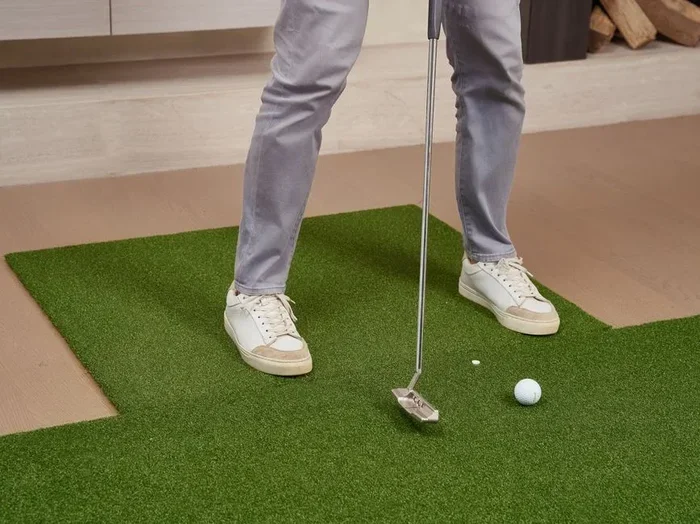
A good golf hitting mat mimics the feel of real turf. It should be thick enough to protect your joints but firm enough to give honest feedback. Indoor mats come in various materials, from rubber to synthetic grass.
Alongside the mat, you need a safety net or enclosure. This keeps balls from flying into your walls, windows, or furniture. A sturdy net also adds a sense of containment that makes practice feel more like being on a real range.
Software and Course Library
Golf simulation software is what brings the courses to life. Top platforms offer hundreds of real-world courses mapped with stunning detail. You can play St. Andrews, Pebble Beach, or Augusta National without leaving your garage.
Look for software that supports multiplayer rounds. You want to be able to play with friends remotely or in the same room. Regular updates and new course additions also show that the developer is committed to the product.
Top Golf Simulator Packages Reviewed
SkyTrak Plus Package
The SkyTrak launch monitor is one of the most popular options on the market. It uses photometric technology to deliver accurate data at an affordable price. The SkyTrak Plus package includes the monitor, a hitting mat, a screen, and a full year of course access.
Users love how easy it is to set up. The entire golf simulator setup fits in a spare room or garage. SkyTrak also pairs with popular apps like E6 Connect and The Golf Club 2019. This gives you a huge library of courses right from day one.
Where it falls short is in advanced features. If you are a tour-level player seeking ultra-precise data, you may want a higher-end option. But for home golf training and casual play, SkyTrak delivers excellent value.
OptiShot 2 Golf Simulator
OptiShot 2 is a budget-friendly entry point into the world of indoor golf practice. It uses infrared sensors to track club head data and ball flight. The system is lightweight and portable, making it easy to set up and take down.
The OptiShot 2 package includes hitting mats, a net, and access to simulation software. It is a great choice for beginners or anyone who wants to test the waters before investing in a premium system. The accuracy is good for the price, though it does not match radar-based monitors in every category.
Full Swing Golf Simulator
If you want the full premium experience, Full Swing is a top contender. This system uses high-speed cameras and advanced radar to capture every detail of your swing and ball flight. It is the kind of golf simulator setup you see in professional training centers.
Full Swing integrates with platforms like TruGolf and E6 Connect. The image quality is stunning, and the data feedback is incredibly detailed. It tracks face angle, path, dynamic loft, and much more. The downside is the price tag. This is a significant investment, but for serious players, the golf swing improvement benefits are hard to ignore.
Setting Up Your Indoor Golf Practice Space
How Much Room Do You Need?
The good news is you do not need a massive space. A room that is at least 10 feet wide, 10 feet deep, and 9 feet tall can work well. This gives you enough clearance for a full swing without worrying about hitting the ceiling or walls.
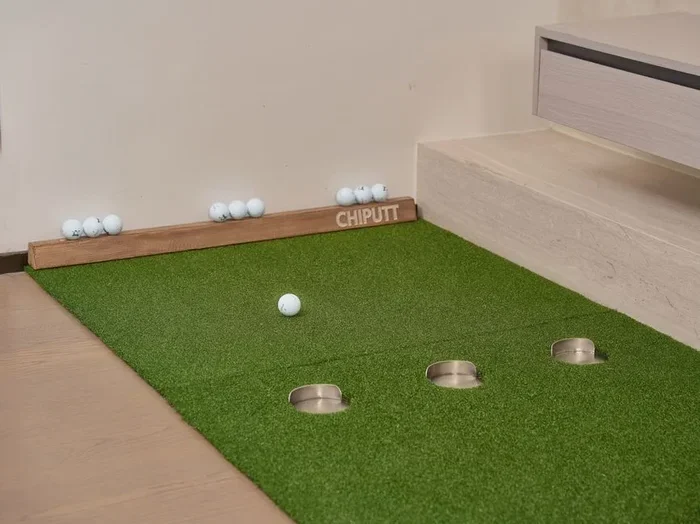
Garages and basements are popular choices. Spare bedrooms and finished dens also work if the dimensions are right. Even a large hallway can serve as a mini practice area with the right golf simulator packages.
Flooring and Lighting
Your flooring should be flat and stable. Many golfers lay down a rubber mat or interlocking foam tiles under their hitting area. This protects the floor and adds comfort during long practice sessions.
Lighting matters more than you might think. Avoid placing your screen in direct sunlight, as it washes out the image. Soft, indirect lighting works best for indoor golf experience. If you are using a projector, dim the room for the clearest picture.
Sound and Ventilation
Do not overlook sound. A decent set of speakers adds immersion to your rounds. You can hear the crowd, the birds, and the satisfying thwack of a well-struck iron. Some golf simulation software platforms include built-in audio that makes a big difference.
Ventilation is equally important. Hitting balls indoors can raise dust and reduce air quality. A fan or open window keeps the space comfortable. This is an easy step that many people skip when setting up their home golf training area.
Benefits of Practicing Golf at Home
The advantages of having a best at home golf simulator go far beyond convenience. Here are the biggest benefits that make this investment worthwhile.
- Year-round practice: Rain or snow, summer or winter, your indoor golf practice never stops.
- Instant feedback: You see your data instantly after every shot. This accelerates golf swing improvement because you can adjust on the spot.
- Time savings: No driving, no waiting for the range to open, no wasted time between shots.
- Course experience: Playing virtual rounds on famous courses builds course management skills and keeps you engaged.
- Family fun: Kids and beginners can enjoy indoor golf entertainment together. It is a great way to introduce newcomers to the sport.
- Cost-effective long term: After the initial setup cost, you save money on range balls and green fees over time.
Many golfers report noticeable score improvements within weeks of regular indoor practice. The key is consistency. Even 20 minutes a few times a week with a quality golf simulator setup adds up fast.
Common Mistakes to Avoid When Buying a Golf Simulator
Skipping the Launch Monitor
Some buyers go for a cheap screen and mat setup without a launch monitor. This is a big mistake. Without proper data tracking, you are just hitting balls at a picture. A launch monitor is what turns a screen into a true golf course simulation tool.
Underestimating Space Needs
It is tempting to buy a system and figure out the space later. But you need enough room for a full, unrestricted swing. Measure your space before you buy. Factor in the screen depth, mat size, and your swing arc. A cramped setup leads to bad habits and potential damage to your home.
Ignoring Software Compatibility
Not all launch monitors work with all software platforms. Before you purchase, check that your monitor is compatible with your preferred golf simulation software. Some systems lock you into a single ecosystem. Others offer open compatibility with multiple apps and platforms.
Going Too Cheap
Budget options have their place. But ultra-cheap golf simulator packages often lack accuracy and durability. You get what you pay for in most cases. Invest in a system from a reputable golf simulator brand that offers good customer support and regular software updates.
Quick Tips for Getting the Most From Your Simulator
- Set a routine: Practice at the same time each day to build consistency.
- Track your stats: Use the data from your golf swing analyzer to identify weaknesses.
- Practice with purpose: Focus on one aspect of your game per session, like driving or short game.
- Use real golf balls: Premium balls give more accurate readings from your launch monitor.
- Play with friends: Multiplayer rounds keep practice fun and competitive.
- Update your software: Regular updates improve accuracy and add new home golf course content.
Comparison Table: Top Golf Simulator Systems
| System | Price Range | Launch Monitor Type | Best For |
|---|---|---|---|
| SkyTrak Plus | $500 – $1,200 | Photometric | Budget-friendly home golf training |
| OptiShot 2 | $300 – $800 | Infrared | Beginners and casual players |
| Full Swing | $3,000 – $5,000+ | Camera + Radar | Serious players and pros |
| Foresight GCQuad | $4,000 – $6,000+ | Radar | Advanced data and swing analysis |
Each of these systems represents a different tier of the market. Your choice depends on your budget, skill level, and how much space you have. If you are just starting out, the SkyTrak or OptiShot are excellent entry points. If you are committed to serious improvement, the Full Swing or Foresight systems deliver the depth of data you need.
Final Thoughts on Finding the Best At Home Golf Simulator
Choosing a best at home golf simulator is about matching the right system to your goals and your space. Whether you are a beginner just learning the basics or a seasoned golfer chasing lower scores, there is a setup that fits your needs.
Start by deciding what matters most to you. Is it golf swing analysis accuracy? The variety of virtual courses? Easy setup and portability? Budget friendliness? Once you know your priorities, the decision becomes much clearer.
Remember that a golf simulator setup is an investment in your game and your enjoyment. The hours of practice, the fun with family and friends, and the steady improvement you will see over time make it well worth the cost. Take your time, do your research, and pick the system that excites you most.
The best part is that your indoor golf practice journey starts the moment you unbox your system. No waiting for good weather. No driving across town. Just you, your clubs, and a virtual course ready whenever you are. That is the real power of a home golf training setup.
So go ahead. Explore the options. Find your best at home golf simulator. And start playing better golf today, right from the comfort of your own home.
Frequently Asked Questions
What is the best at home golf simulator for beginners?
The SkyTrak Plus package is widely considered the best golf simulator setup for beginners. It is affordable, easy to set up, and provides accurate data that helps new players understand their golf swing improvement from day one. The included software library gives beginners access to dozens of virtual courses for fun and practice.
How much space do I need for a golf simulator at home?
You need at least 10 feet of width, 10 feet of depth, and 9 feet of ceiling height for a comfortable setup. This gives you room for a full swing without hitting walls or the ceiling. Garages and basements work great because they typically offer the space and ceiling clearance needed for a proper indoor golf experience.
Can kids and beginners use a golf simulator?
Absolutely. Home golf course systems are fun for all ages and skill levels. Kids love the interactive nature of virtual golf, and beginners benefit from the instant feedback that golf simulation software provides. Many families use their setup as a shared entertainment feature during game nights and gatherings.
How accurate are home golf simulators compared to real golf?
Modern launch monitors used in premium systems are surprisingly accurate. They measure ball speed, launch angle, spin rate, and carry distance with precision. While the feel of real turf and weather conditions cannot be fully replicated, the data feedback from a quality golf simulator setup is close enough to drive meaningful golf swing analysis and improvement.
What is the average cost of a home golf simulator setup?
Prices range from around $300 for basic golf simulator packages to over $5,000 for premium systems. Most quality setups for average homeowners fall between $500 and $2,000. The SkyTrak and OptiShot systems offer excellent value in the lower price range, while Full Swing and Foresight cater to those seeking advanced golf course simulation features.
Do I need a projector or can I use a TV with my simulator?
You can use either, depending on your preference and budget. A projector creates a larger, more immersive image and is ideal for a dedicated hitting bay. A large TV works well for smaller spaces and is simpler to set up. Both options deliver a great indoor golf practice experience, so choose based on your room size and how much you want to spend.
=== CONCLUSION ===
Finding the best at home golf simulator comes down to understanding your needs, your space, and your budget. A great golf simulator setup gives you the freedom to practice anytime, get instant feedback, and play virtual rounds on world-class courses. From budget-friendly options like OptiShot to premium systems like Full Swing, there is a solution for every golfer. Start exploring your options today, and bring the golf course home.